Angular 22: Replace ControlValueAccessor with Signal Forms
Discover how Angular 22 Signal Forms streamline form development, allowing you to build custom controls and reactive state with minimal boilerplate.
The Problem Signal Forms Solve
There is a specific moment every Angular developer knows. You need a custom input component — a date picker, a rating widget, a rich-text field. And you know what's coming: providers array, forwardRef, four interface methods, manual onChange and onTouched callbacks. Every time. For every control.
Signal Forms don't simplify this. They replace it entirely.
The second pain point is state management. In Reactive Forms, the form state lives in FormControl and FormGroup — Observable-based, imperative to update, fragile to type correctly with nested structures. Watching a field change means subscribing to valueChanges, managing the subscription, unsubscribing on destroy. Signal Forms make every piece of state a signal — readable, composable, and cleaned up automatically.
⚠️ Important:
ControlValueAccessoris not deprecated in Angular 22. It still works, and existing controls still compile. But for every new control, Signal Forms are the way forward. Angular 22 guarantees full compatibility between the two worlds.
You don't have to migrate everything. You just have to stop writing the old way for anything new.
The New API: Three Primitives
Learn these three and you've learned Signal Forms.
form()
The entry point. Pass a signal (or linkedSignal) holding your model, and a validation function. Returns a typed FieldTree — a mirror of your model shape where every leaf is a reactive field with value, validity, dirty, touched, and pending state.
FormValueControl<T>
The interface your custom component implements instead of ControlValueAccessor. Minimum requirement: expose a value = model<T>() signal. The directive wires everything else — syncs the field's value signal, propagates touched/dirty, handles disabled state.
SignalFormControl
A bridge for incremental migration. Drop a signal-based control into an existing FormGroup without rewriting the parent form. The validation errors and state propagate both ways — signal form into the reactive form tree, and vice versa.
[formField] directive
The template binding directive. Apply it to any element alongside ngModel and it wires the form field state. Sets CSS classes (.ng-valid, .ng-dirty, .ng-touched), manages ARIA attributes, and keeps value in sync automatically.
Building a Form with Validation
The form() function takes your model signal and a schema function. Validators run on the field value — no more passing validator arrays and hoping the types line up.
import { Component, inject, signal } from '@angular/core';import { form, required, minLength, pattern } from '@angular/forms/signals';import { UserService } from './user.service';interface RegisterModel { username: string; email: string; password: string;}@Component({ selector: 'app-register', standalone: true, imports: [SignalFormsModule], template: ` <form (ngSubmit)="submit()"> <label>Username <input [formField]="f.username" /> @if (f.username().errors()?.required) { <span class="error">Required</span> } @if (f.username().errors()?.minLength) { <span class="error">Min 3 characters</span> } @if (f.username().pending()) { <span class="info">Checking availability…</span> } </label> <label>Email <input type="email" [formField]="f.email" /> @if (f.email().errors()?.pattern) { <span class="error">Invalid email format</span> } </label> <label>Password <input type="password" [formField]="f.password" /> </label> <button type="submit" [disabled]="!f.valid()">Register</button> </form> `,})export class RegisterComponent { private userSvc = inject(UserService); // Model as a writable signal private model = signal<RegisterModel>({ username: '', email: '', password: '', }); // form() generates the FieldTree — typed to RegisterModel f = form(this.model, (field) => { required(field.username); minLength(field.username, 3); // Async validator — checks username availability field.username.addAsyncValidator(async (value) => { if (!value) return null; const taken = await this.userSvc.isUsernameTaken(value); return taken ? { usernameTaken: true } : null; }, { debounce: 400 }); // built-in debounce — no more timer juggling required(field.email); pattern(field.email, /^[^\s@]+@[^\s@]+\.[^\s@]+$/); required(field.password); minLength(field.password, 8); }); submit() { if (!this.f.valid()) return; console.log(this.model()); // typed RegisterModel — no .getRawValue() }}✅ Key insight: The model signal is the source of truth.
form()does not own the data — your signal does. Readingthis.model()gives you the current typed value, without.getRawValue(), without.value, without manual extraction. Signal Forms are a lens over your data, not a container for it.
Custom Controls: Before and After
This is the biggest quality-of-life improvement in the entire release.
Before — ControlValueAccessor (~40 lines)
@Component({ selector: 'app-rating', providers: [{ provide: NG_VALUE_ACCESSOR, useExisting: forwardRef(() => RatingComponent), multi: true, }],})export class RatingComponent implements ControlValueAccessor { protected value = 0; protected disabled = false; private onChange: (v: number) => void = () => {}; private onTouched: () => void = () => {}; writeValue(v: number) { this.value = v ?? 0; } registerOnChange(fn: (v: number) => void) { this.onChange = fn; } registerOnTouched(fn: () => void) { this.onTouched = fn; } setDisabledState(d: boolean) { this.disabled = d; } select(star: number) { this.value = star; this.onChange(star); this.onTouched(); }}After — FormValueControl (3 lines)
import { model, Component } from '@angular/core';import { FormValueControl } from '@angular/forms/signals';@Component({ selector: 'app-rating', standalone: true,})export class RatingComponent implements FormValueControl<number> { // This single signal is the entire API value = model(0); // Optional inputs — Signal Forms wires them automatically // disabled?: InputSignal<boolean>; // touched?: InputSignal<boolean>; // name?: InputSignal<string>; select(star: number) { this.value.set(star); // No manual onChange/onTouched calls needed // The directive handles all propagation }}// Usage in template — identical to before:// <app-rating [formField]="f.rating" />The component contract went from 4 mandatory methods + a providers array + a forwardRef call to one signal. That's it. Everything else — synchronization, dirty tracking, touched propagation, disabled state — is handled by the [formField] directive automatically.
Editing Server Data: linkedSignal + httpResource
The most powerful pattern in Signal Forms: load data via httpResource, bridge it into the form via linkedSignal, and the form updates automatically whenever the resource reloads.
import { Component, inject, input } from '@angular/core';import { httpResource } from '@angular/common/http';import { linkedSignal } from '@angular/core';import { form, required, minLength } from '@angular/forms/signals';interface UserProfile { username: string; bio: string; website: string;}@Component({ selector: 'app-edit-profile', standalone: true, template: ` @if (userResource.isLoading()) { <p>Loading profile...</p> } @else { <form (ngSubmit)="save()"> <input [formField]="f.username" placeholder="Username" /> <textarea [formField]="f.bio" placeholder="Bio"></textarea> <input [formField]="f.website" placeholder="Website" /> <button [disabled]="!f.valid() || !f.dirty()">Save changes</button> <button type="button" (click)="reset()">Discard</button> </form> } `,})export class EditProfileComponent { userId = input.required<number>(); // 1. Fetch from server — refetches when userId changes userResource = httpResource<UserProfile>( () => `/api/users/${this.userId()}` ); // 2. Bridge resource → writable signal via linkedSignal // Updates automatically when userResource reloads editableProfile = linkedSignal( () => this.userResource.value() ?? { username: '', bio: '', website: '' } ); // 3. Form observes editableProfile — resets when profile reloads f = form(this.editableProfile, (field) => { required(field.username); minLength(field.username, 3); required(field.bio); }); save() { if (!this.f.valid()) return; // this.editableProfile() holds the current form values console.log('Saving:', this.editableProfile()); } reset() { // Force linkedSignal to re-read from the resource this.editableProfile.set(this.userResource.value()!); }}This pattern removes an entire category of code from edit forms: no more ngOnInit with patchValue(), no more subscription to route params to trigger a reload, no more manual reset logic. The reactive graph handles all of it.
Cross-Field Validation
Cross-field validation used to require a custom validator at the FormGroup level with an awkward API. In Signal Forms, a validator on one field can directly read any sibling field's signal.
interface PasswordForm { password: string; confirm: string;}f = form(signal<PasswordForm>({ password: '', confirm: '' }), (field) => { required(field.password); minLength(field.password, 8); required(field.confirm); // Cross-field rule: reads the sibling field's signal directly field.confirm.addValidator((confirmValue) => { const pwd = field.password.value(); // sibling signal — no workarounds return confirmValue !== pwd ? { passwordMismatch: true } : null; });});// In the template:// @if (f.confirm().errors()?.passwordMismatch) {// <span>Passwords don't match</span>// }Reactive Forms vs Signal Forms
Criterion | Reactive Forms | Signal Forms (Angular 22) |
|---|---|---|
State model | Observable-based — subscribe, unsubscribe, manage lifecycle | Signal-based — read, derive, auto-cleanup ✅ |
Custom controls |
|
|
Nested forms |
| Model shape mirrors naturally — |
Async validation | Return |
|
Cross-field rules | Custom validator at | Read any sibling's signal directly inside the schema ✅ |
Server data binding | Manual |
|
Reading the value |
|
|
Compatibility | Stand-alone | Compatible with CVA and Reactive Forms via |
When to keep | Existing forms that work — don't migrate what isn't broken | All new forms starting today |
Migrating Without a Big Bang
The right migration is incremental. Angular 22 guarantees ControlValueAccessor and FormValueControl are mutually compatible — you can have both in the same form without a single workaround.
Signal Forms evolution
Version | Status |
|---|---|
v21 | Experimental — API unstable between minor versions. Not recommended for production. |
v22 | Stable — public API. |
The four-step migration playbook
Step 1 — Migrate custom controls first. Replace ControlValueAccessor with FormValueControl one control at a time. Angular 22 makes FormValueControl components fully compatible with existing FormGroup parents — no parent changes needed.
Replace ControlValueAccessor with FormValueControl one control at a time without changing parent FormGroups.
Develop new forms using Signal Forms to maximize migration ROI; leave working forms unchanged.
Insert signal-based controls into existing FormGroups to enable two-way validation error propagation.
Apply ngNoCva directive when mixing legacy and Signal Forms APIs to avoid conflicts.
A concise guide to incrementally migrate Angular forms using Signal Forms.
Step 2 — Write all new forms with Signal Forms. Don't touch working forms. The ROI of migration is in new development — where Signal Forms eliminate setup entirely — not in rewriting forms that already work.
Step 3 — Use SignalFormControl as a bridge. Drop a signal-based control inside an existing FormGroup. Validation errors propagate both ways — no double bookkeeping.
import { SignalFormControl } from '@angular/forms/signals';import { FormGroup } from '@angular/forms';// Drop a signal-based control into an existing FormGroup — no rewrite neededconst legacyForm = new FormGroup({ firstName: new FormControl(''), lastName: new FormControl(''), // Signal-based control coexists naturally nickname: new SignalFormControl('', (field) => { required(field); minLength(field, 2); }),});// legacyForm.getRawValue()// → { firstName: '', lastName: '', nickname: '' }// nickname behaves exactly like a regular FormControl from the parent's perspectiveStep 4 — Add ngNoCva when mixing both APIs on the same element. When [formField] is used on an input that is also inside a [formGroup], both APIs try to control the same element. ngNoCva tells Angular to skip the CVA and let Signal Forms take over.
⚠️ The
ngNoCvadirective: you only need this when mixing[formField]with[formGroup],formControlName, orngModelon the same element. If you're using[formField]standalone or on aFormValueControlcomponent, there's no conflict.
When to Use Signal Forms — and When Not To
✅ Reach for Signal Forms when
Writing any new form from scratch — this is the default now
Building custom form controls — replaces CVA completely
The form data comes from an API —
linkedSignal+httpResourcecompose naturallyAsync validation is required — built-in debouncing, no Observable setup
Cross-field validation exists — read sibling signals directly in the schema
You want typed
.value()without.getRawValue()or null coercionYou're in a zoneless app — Signals are the right primitive end to end
Writing any new form from scratch (default choice)
Building custom form controls (fully replaces CVA)
Form data sourced from an API (natural with linkedSignal + httpResource)
Async validation needed (built-in debouncing, no Observable setup)
Cross-field validation supported via sibling signals in schema
Existing forms working without bugs
Complex FormGroup logic with custom status management
Third-party CVA libraries not yet updated
Team requires time to gain intuition before migrating
Simple admin panels or settings screens with no issues
→ Keep Reactive Forms when
The form already works and there's no bug to fix
Heavily customized
FormGrouplogic with complex status managementThird-party CVA libraries that haven't been updated yet
Your team needs time to build intuition — don't rush a big-bang migration
Admin panels and settings screens with simple logic and no issues
The Bottom Line
Signal Forms aren't a new way to think about forms. They're the same concepts — validation, state, binding, submission — built on the right primitive. Signals were always going to be the foundation of Angular's reactivity; forms were just the last major surface to catch up.
The practical impact is immediate in two places:
Custom controls: if you have a design system with 10 custom inputs, each one can lose 30–40 lines of boilerplate the next time you touch it.
Form-to-API integration: the httpResource + linkedSignal pattern removes an entire category of manual patchValue() calls and subscription management that littered edit forms in every Angular codebase.
The migration story is genuinely good. Angular 22 doesn't force your hand — ControlValueAccessor still works, FormGroup still works, and the two APIs can coexist in the same form. The right moment to switch is the next new form you write, not a scheduled migration sprint.
The one-sentence decision guide: New form? Use Signal Forms —
form(),model(),FormValueControl. Existing form that works? Leave it. Existing form you're touching anyway? Migrate the custom controls first, then consider the form model if it's worth the diff.
The best Angular forms don't feel like Angular forms. They feel like data.
Sources
angular.dev/guide/forms/signals/overview — Official Angular Signal Forms guide:
form(),[formField], validators, async validation, nested forms.angular.dev/essentials/signal-forms — Essentials overview,
FormValueControlinterface, custom controls without ControlValueAccessor.angular.dev/guide/forms/signals/migration — Official migration guide from Reactive Forms,
compatFormbridge, incremental strategy.Santosh Yadav — santoshyadav.dev (Jun 16, 2026) — "Angular 22: The Signals Are Strong" —
ngNoCva,SignalFormControl,OnPushas new default,linkedSignalcustom set option.Angular.love (May 26, 2026) — "Signal Forms in Angular 21: Complete Guide" —
compatForm, validation model, CVA→FormValueControl comparison.ANGULARarchitects.io (Jun 2026) — "All About Angular's New Signal Forms" — custom validation, schemas, nested forms, form arrays, debouncing.
Brian Treese — briantree.se (Mar 26, 2026) — "Angular 22: Mix Signal Forms and Reactive Forms Seamlessly" —
FormValueControlmigration, incremental strategy.LogRocket Blog (Mar 27, 2026) — "Signal Forms: Angular's best quality of life update in years."
Rajat / Substack (Jun 2026) — "Signal Forms Are Finally Production-Ready in Angular 22" —
form()API,httpResource+linkedSignalpattern, async validation.Angular_with_Awais / Medium (May 2026) — "Angular v22 Signal Forms: Build Custom Controls Without ControlValueAccessor."
Code examples reflect the Angular 22 Signal Forms stable API as released June 3, 2026. ControlValueAccessor is not deprecated and continues to work in Angular 22. Always refer to angular.dev/guide/forms/signals for the current stable API.
The elite dev's arsenal.
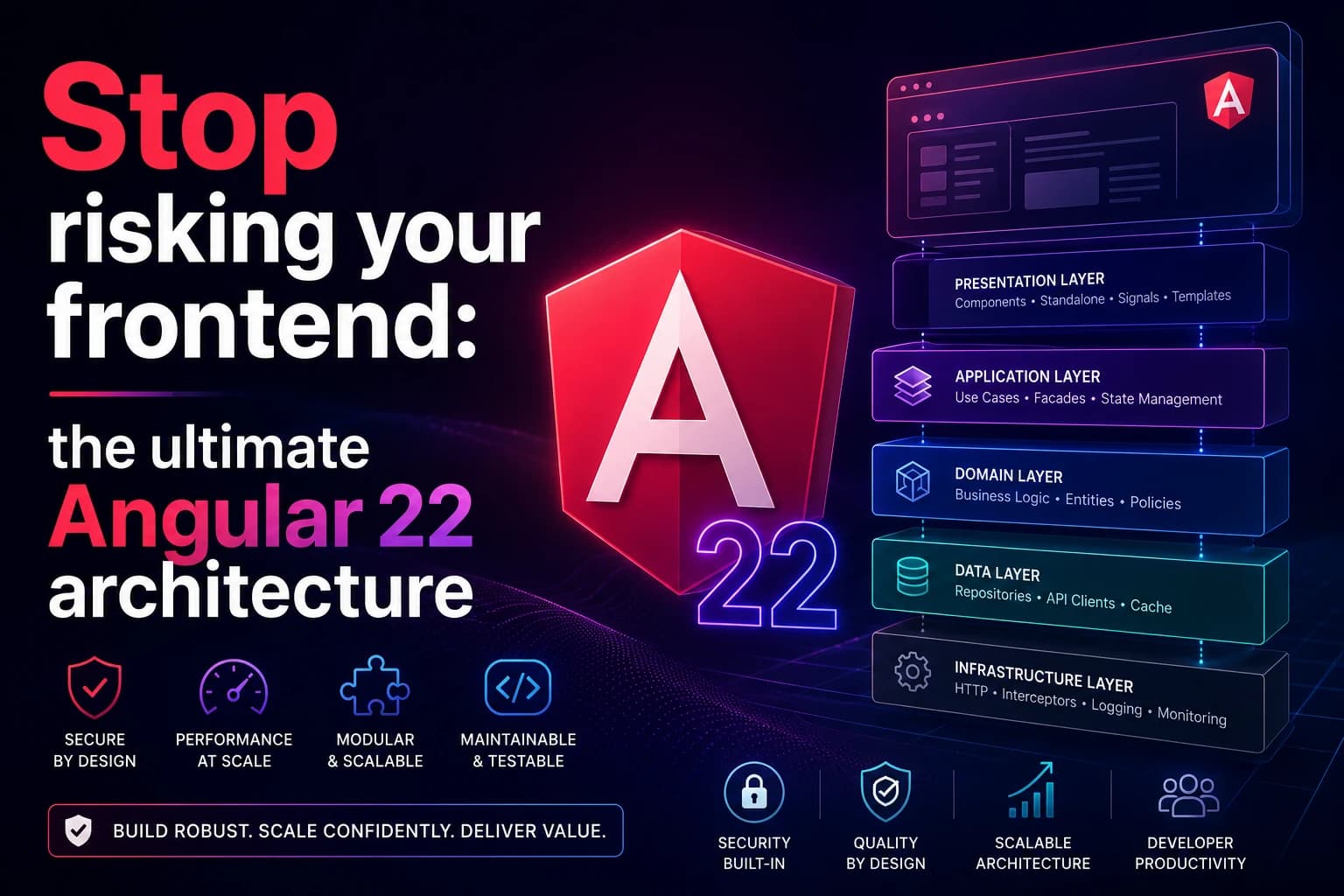
Stop risking your frontend: the ultimate Angular 22 architecture
Angular 22 is here. Discover how the latest architectural shifts and native reactivity primitives make it the ultimate choice for enterprise systems.
SolidJS in 2026: Why fine-grained reactivity is outperforming the Virtual DOM
SolidJS redefines frontend performance in 2026 by ditching the Virtual DOM for fine-grained reactivity, ensuring faster updates and efficient code.

Python Variables: A Practical Guide for Beginners
Learn what Python variables are, how to assign values, understand data types, and follow best practices for naming in your code.